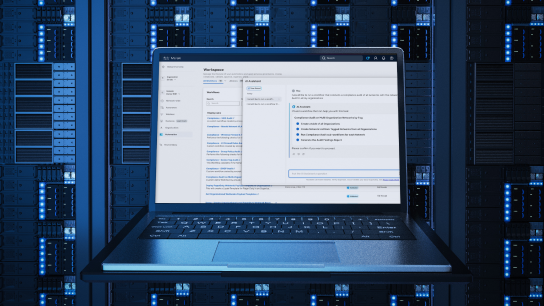
Workflows automates cloud and on-premises systems, helping ensure seamless connectivity. Adapters enable integration with third-party and custom systems, so you can use existing automations within your environment.
Automate your network. Simplify your operations.
90
%
Reduction in time to launch new services
Companies embracing network automation see a drastic reduction in time to deliver new services. (ACG Research)
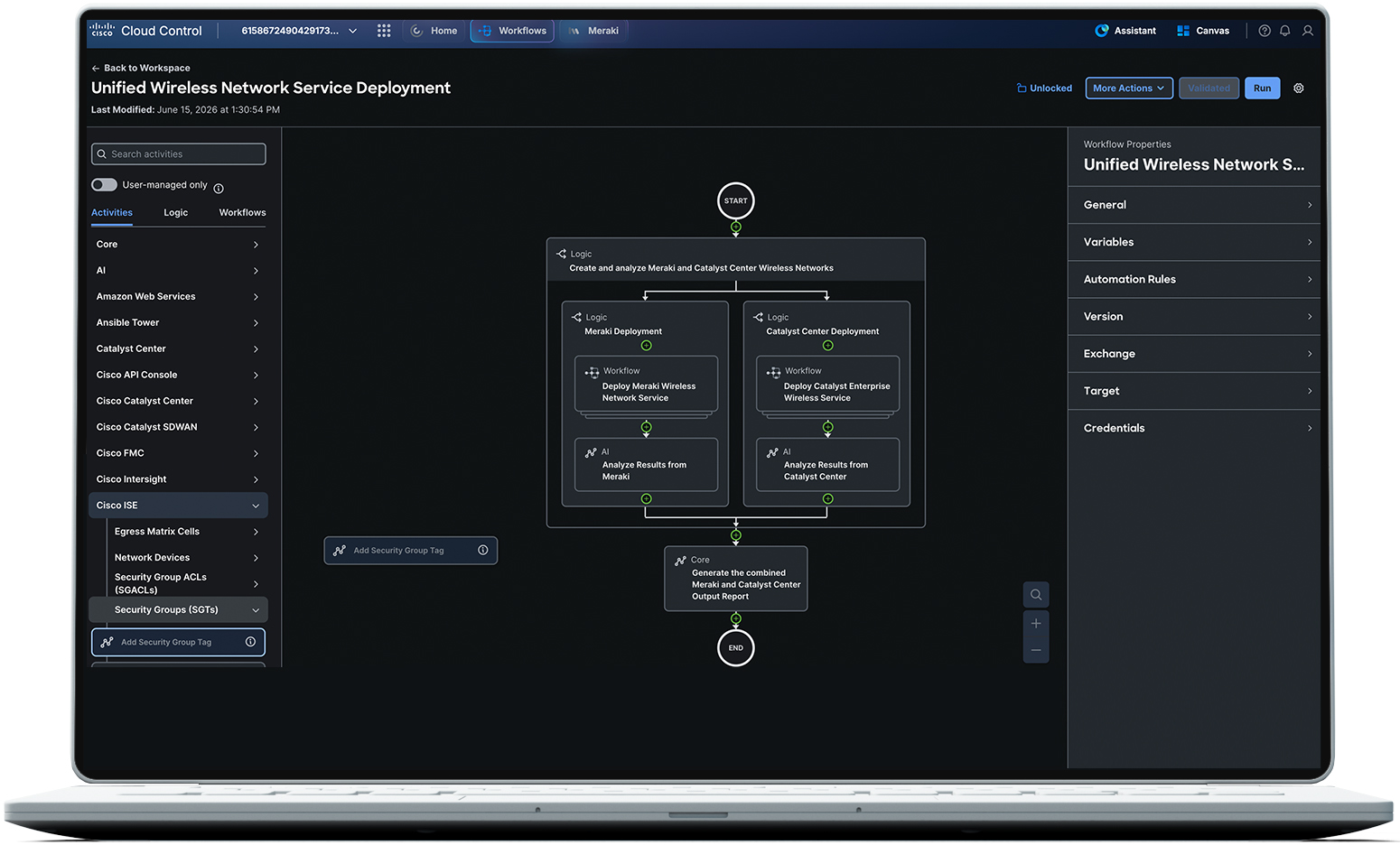
Cisco Agentic Workflows automates manual, time-consuming tasks across Cisco and third-party applications using an intuitive drag-and-drop editor and AI-assisted workflow generation. It is accessible through Cisco Cloud Control.
Simplify daily operations
Automate tasks across wireless, switching, WAN, data center, and other domains while connecting with third-party systems such as IT service management and IP address management tools. Replace manual, error-prone handoffs with consistent workflows that reduce operational risk.
Focus on what matters
Get back time spent on repetitive tasks and shorten time-to-value with automations that speed your deployment cycles and service delivery.
Work smarter with Workflows
Browse our Exchange
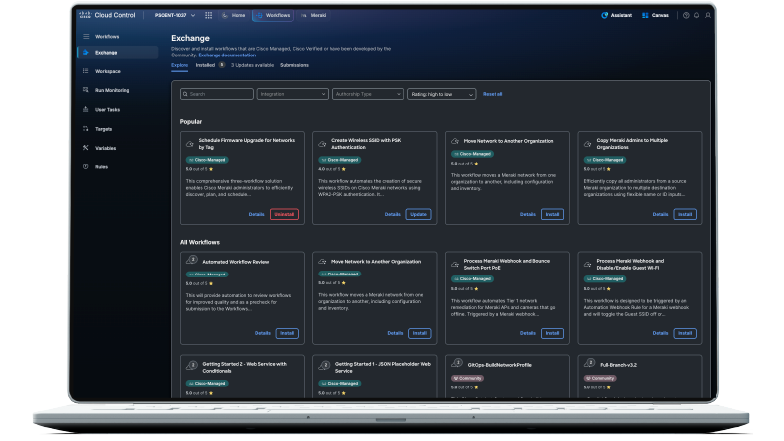
Workflows features an exchange of premade automations that solve common multi-domain use cases. These automations can be run as-is or easily customized in the drag-and-drop workflow editor. Check for frequent updates.
Manage and view workflows in one place
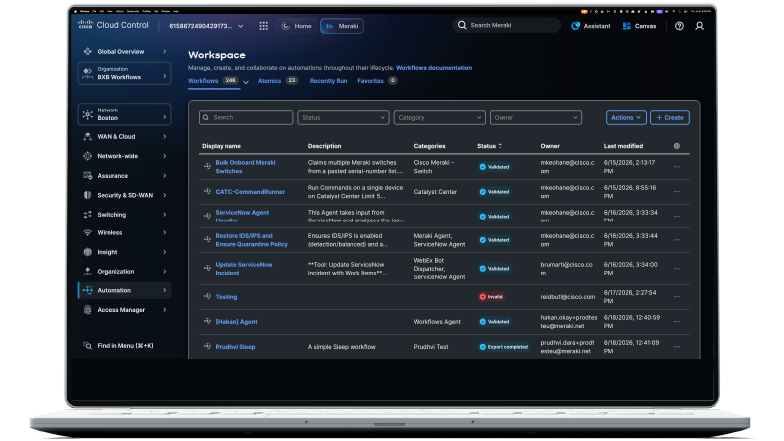
Centralize workflows across networking domains in a single workspace. Detailed run records and audit history simplify troubleshooting, validation, and governance. GitHub integration and JSON import/export also ease backup, sharing, and version control for workflow definitions.
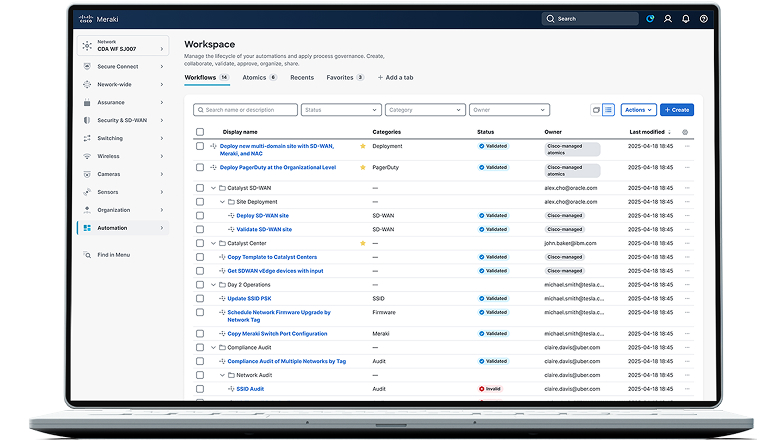
View workflows in one place
Manage the lifecycle and status of your automations in the Cisco Meraki dashboard. Oversee processes and approve, collaborate, and validate parameters all in one place.
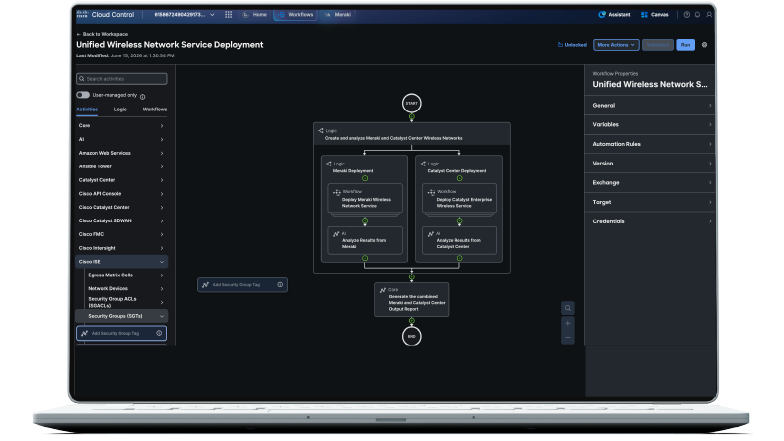
Drag and drop your changes
Turn automation ideas into working processes with an intuitive low-code/no-code editor. Drag activities onto the canvas, connect steps, add decision logic, and incorporate existing workflows. Teams can build sophisticated automations without requiring every user to learn a programming language or specialized automation syntax.
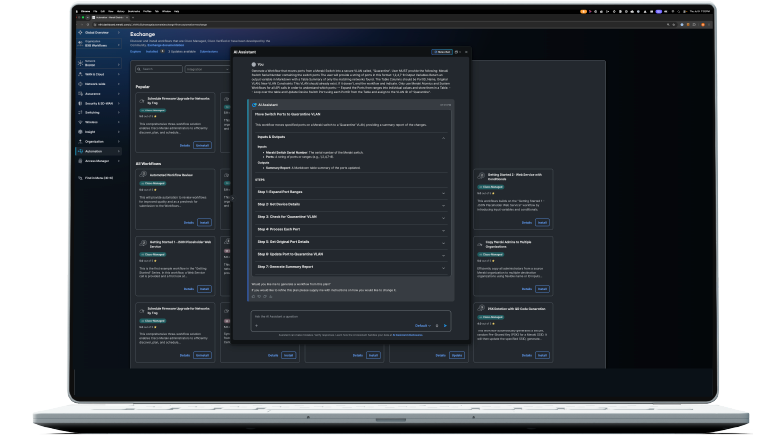
Natural language workflow execution and generation
Tell the Cisco AI Assistant the outcome you want instead of searching through tools or building every process manually. The assistant can review available workflows or generate an auditable, deterministic workflow.
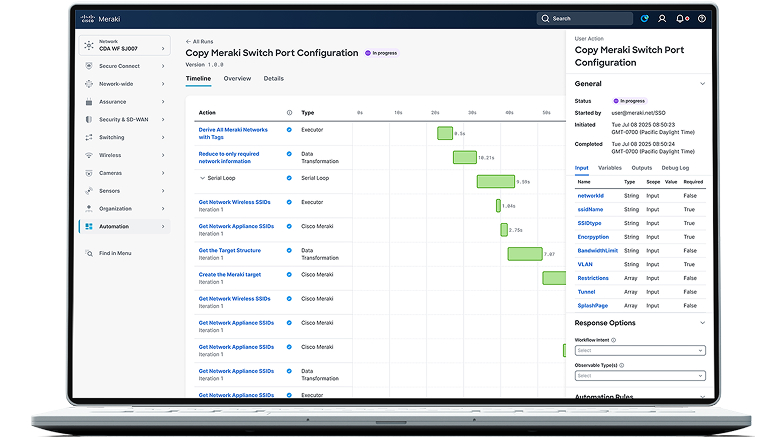
Monitor progress for active runs
Get insight into active automations from Workflows in the Automation tab in the Cisco Meraki dashboard. Monitor runs, see statuses, identify targets, troubleshoot errors, and keep logs for compliance and visibility.
Frequently Asked Questions
Workflows offers no-code templates with drag-and-drop tools. Coding skills like JavaScript or YAML help with advanced automation but aren’t required. Start with the self-learning video playlist to learn the basics and create your first workflow.
No licenses are required to use Workflows. It is freely available as a value add within Cisco Cloud Control.
Given the frequency with which we update and add new integrations, we recommend creating an account for free and visiting the Workflow Editor palette to see a list of what’s currently supported.
Three ways to automate

Prebuilt
Deploy prebuilt automations based on Cisco Validated Designs to automate common multidomain tasks.

Modified
Take a validated automation and modify it to fit the specific needs of your use case.

Fully customized
Start from scratch and create new automations using the simple drag-and-drop editor or natural language with the AI Assistant to serve your specific needs.