Introduction
Employees, IT, corporate real estate, and workplace design teams all experience the office as one place, but the systems behind it are not. The data, ownership, and budgets stay split across teams, which makes improving the employe experience, getting space and energy costs under control, and preparing the workplace for AI-enabled work much more difficult to do at once.
This split shows up in ordinary ways. An employee walks in and can't find an open room. Meeting technology fails and nobody is quite sure whose job it is to fix it. Real estate must make a footprint decision without data that anyone really trusts. Facilities runs lighting, cooling, and cleaning on the same fixed schedule regardless of actual needs or who's in the building. IT is asked to secure more workplace devices every year with less visibility into what those devices are doing.
An intelligent workplace experience replaces those separate operating models with one. IT gets secure infrastructure and simpler operations. Real estate and facilities get evidence they can use for decisions about footprint, room mix, energy, and services. Architects and designers get power, connectivity, room, and sensing requirements settled before the design is locked in. Workers have access to the same workplace data, and that data is unified to create intelligent workplace ecosystems that sense and react. The office becomes a destination for employees, not an obligation. Employees get spaces that are easier to find, book, and use. Every space has suitable lighting, temperature, and air quality.
Whether a workplace program is working or not comes down to a simple question: Does it change and improve work measurably and not just add more connected devices?
A working definition
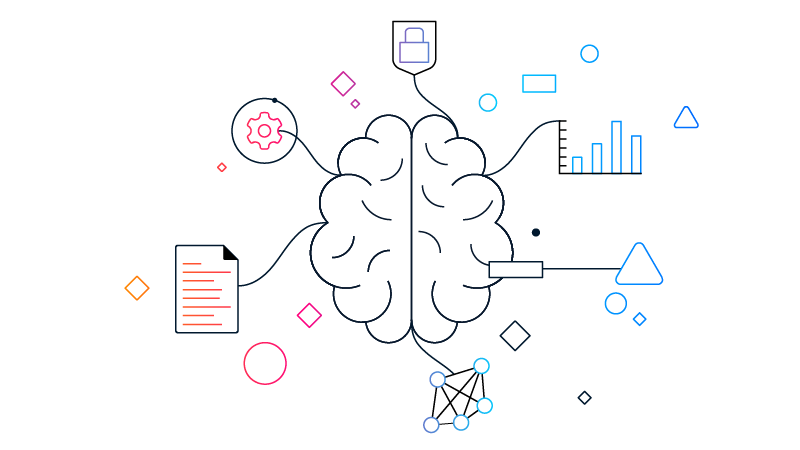
An intelligent workplace experience is an approach, not a product. It connects people, places, and technology.
People collaborate with colleagues and with AI agents or digital teammates. Places sense current conditions and adapt when an approved workflow calls for it. Technology ties networking, collaboration, security, workplace data, and building systems together in one architecture.
Cisco organizes that architecture in three layers: an AI-ready secure network, collaboration, and data intelligence delivered through Cisco Spaces, Splunk, and Cloud Control. None of this means ripping out what's already in place. Most organizations start with one business decision and expand once the value is demonstrated.
Why the business problem matters
Workplace decisions are expensive, and the data behind them is often thin. Seventy-one percent of corporate real estate leaders name portfolio optimization as their top priority, but only 7 percent rate their utilization analytics as excellent*. Most organizations are making high-stakes calls on evidence they don't fully trust.
Average attendance doesn't tell the whole story either. Eighty-nine percent of employers now require at least three office days a week, yet actual attendance still lags that target, and nearly half of employees rate the office experience as average or worse**. A mandate can't fix an office that doesn't work once people show up.
AI raises the stakes further. Corporate real estate AI pilot adoption jumped from under 5 percent to 92 percent of occupiers in three years, but only 5 percent of organizations say they've achieved most of their AI program goals***. That gap isn't a lack of interest. It's data quality and operating readiness. Which is exactly why this category must start with the business problem, not a product list.
*Global Occupancy Planning Benchmark Report, JLL, May 2026
**2026 Americas Office Occupier Sentiment Survey, CBRE, July 2026
***Reality Check: The True Pace and Payoffs of AI Adoption in Corporate Real Estate, JLL, October 2025
People, places, and technology work as one
An intelligent workplace experience brings three parts of the workplace together. Each part does a different job. None of them produce the total outcome on their own.
People
Employees collaborate with colleagues and with AI agents or digital teammates. The workplace should make it easy to arrive, connect, find space, join a meeting, engage in person or with remote participants, and get work done—without anyone needing to know which system owns which step.
Places
Rooms, floors, and buildings generate booking, occupancy, environmental, and service signals that describe what's happening inside of them. An approved workflow can use those signals to reclaim a room, adjust a service, guide someone to a destination, or feed into a redesign later. These workplaces become smart and adapt to users to drive better experiences down to the use of blinds, lighting, HVAC, and neuro-inclusive controls.
Technology
The technology layer securely connects users, devices, collaboration, workplace data, and building systems. It gives IT and operations teams shared context, while leaving established systems of record and building controls to do the jobs that they already do well. All can be managed together and optimized with agentic operations and planning.
Three layers form the architecture
Cisco organizes the architecture in three layers. Each has its own job, and the value shows up when they're connected around a real outcome.
1. AI-ready secure network
The network is the foundation for connectivity, security, telemetry, and operations: Wi-Fi, switching, connected devices, segmentation, assurance, and automated operations all run on it. In modern campus environments where thousands of users, devices, and IoT systems connect each day, security can't be bolted on or centralized. Cisco fuses security directly into the campus network so identity, policy, and enforcement exist wherever traffic flows, delivering AI-era defense at every point of connection. Power over Ethernet carries data and low-voltage DC power over the same cable to supported access points, collaboration devices, cameras, sensors, lighting, and controls. Fault Managed Power can push safe DC power over longer distances for bigger deployments.
2. Collaboration
Collaboration is the experience and sensor layer. Meeting devices and room software help people work with colleagues and AI agents, but the same devices also report signals like occupancy, ambient noise, temperature, and humidity. Room design must cover the whole journey—platform choice, accessibility, device management, and support—not just the hardware in the room.
3. Data intelligence
Cisco Spaces, Splunk, and Cloud Control make up the data and intelligence layer. This is where workplace and operational signals become something usable: space planning, room and device status, occupancy analysis, sustainability reporting, IT/OT visibility, and recommended actions.
How organizations put the approach to work
Five stages happen roughly in order, from the first design decision through daily operation.
Design
Upload your office blueprints and easily define the experience before procurement and construction decisions are final. Architects, designers, IT, real estate, and facilities can lay out room types and then understand power, connectivity, sensing, and integration requirements while changes still cost little to make.
Deploy
Bring networking, collaboration devices, sensors, cameras, and building connections online with repeatable standards, centralized visibility, and zero-touch provisioning where it's available.
Operate
Use network, device, room, and environmental telemetry to catch problems, find the causes, and fix things before or shortly after employees notice. Easily tag important corporate assets to then track them in real time on your network and within your building. AgenticOps and assurance tools can help operators do this, within whatever controls are approved.
Optimize
Use occupancy, utilization, energy, and service data to improve room mix, portfolio decisions, building schedules, and operating costs. This is where collecting workplace data in a single fabric truly becomes beneficial. Teams can run agentic-driven optimization planning scenarios to understand ways to optimize every space, tie every analysis to a specific decision, and check the result against a baseline instead of a hunch.
Where organizations usually begin
Almost nobody buys an entire intelligent workplace at once. They start because a deadline, a cost, or a problem that keeps coming back has made the current approach hard to defend.
A new lease or renovation
Early planning lets teams align power, cabling, Wi-Fi, room design, sensing, security, maps, and building integrations before the workplace spec is locked. This avoids expensive late changes and keeps the door open for use cases that nobody has scoped yet.
A capital project or entirely new build
A new building presents the rare chance to design the intelligent workplace in from day one. Architects and designers can align network architecture, power and Power over Ethernet (PoE), cabling, Wi-Fi, room standards, sensors, security, maps, collaboration, and building systems while the project is still taking shape. This reduces rework, creates a flexible digital foundation, and gives IT, real estate, facilities, and design teams a shared plan for how the building will sense, reason, and act over time.
A campus or wireless refresh
A lifecycle project can solve the immediate network need while also setting up for room growth, workplace IoT, location services, and experience assurance. It's worth asking early: Which adjacent outcome is worth designing for now, while the network's already open anyway?
A meeting room standard
Room programs usually start because the experience is inconsistent, or support costs too much time. Baseline a handful of representative room types, agree on how each one should perform, and set acceptance measures before rolling it out across the estate.
A space or portfolio decision
Occupancy and utilization evidence can sharpen decisions about footprint, room mix, neighborhoods, and services. Average attendance alone rarely settles anything. Teams also need peak use, purpose, data quality, and a clear path to a result.
A recurring experience problem
Slow applications, dropped calls, and repeated room incidents usually cross several team boundaries at once. Having one view from user to application can remove the guesswork about whether the problem sits with the endpoint, Wi-Fi, campus, internet, cloud service, or application.
A building operations or energy program
Occupancy and environmental signals can support better schedules for lighting, HVAC, cleaning, and other services, with the building management system still holding the control point. Start with one floor, one operating change, and a baseline for facilities team.
How intelligent workplace experience differs from nearby categories
These terms get used interchangeably a lot, but they are not the same thing: